Released versions

Webhooks: Connect Let's Book to all your other software

Versionv1.16

Webhooks integration

Get instant notifications when things happen in Let's Book. New booking confirmed? Customer ordered add-ons? Someone signed up? Send that data anywhere you want—your CRM, accounting software, Slack, or custom tools.

Set a URL, pick your events, and you're done. Real-time updates, automatically. Perfect for building AI-powered workflows that respond to your business in real-time.

What you can do

  • Sync everything - Send booking data to Airtable, Google Sheets, or your dashboard
  • Automate accounting - Create invoices in QuickBooks or Xero when bookings are confirmed
  • Track add-on orders - Get notified when customers order specific products (life jackets, fuel, skipper service)
  • Keep teams updated - Push notifications to Slack when bookings come in or customers add extras
  • Build AI workflows - Chain actions with Zapier, Make, or n8n to trigger AI agents and automations
  • Connect your own tools - Works with anything that receives HTTPS requests

Check the API documentation for technical details and all available events.

Setup guide & examples →

Other updates

  • Added queue system for background processes—actions complete instantly while processing happens behind the scenes
  • Webhook delivery now uses retry queues—if your endpoint is temporarily down, we'll automatically retry sending the webhook

Finance got a makeover: discounts and cost clarity

Versionv1.15

Finance overview for boat rental

The finance section just got way clearer. Your balance is shown upfront, every cost on a booking is broken down. Standard costs are now locked, so you always see the original pricing. Much cleaner picture of what actually happened.

Need to adjust something? Add a discount. Just create negative manual costs to balance out other charges. Keeps the original costs intact while giving you full control.

Learn how to manage finances →

Charge cards twice (or more)

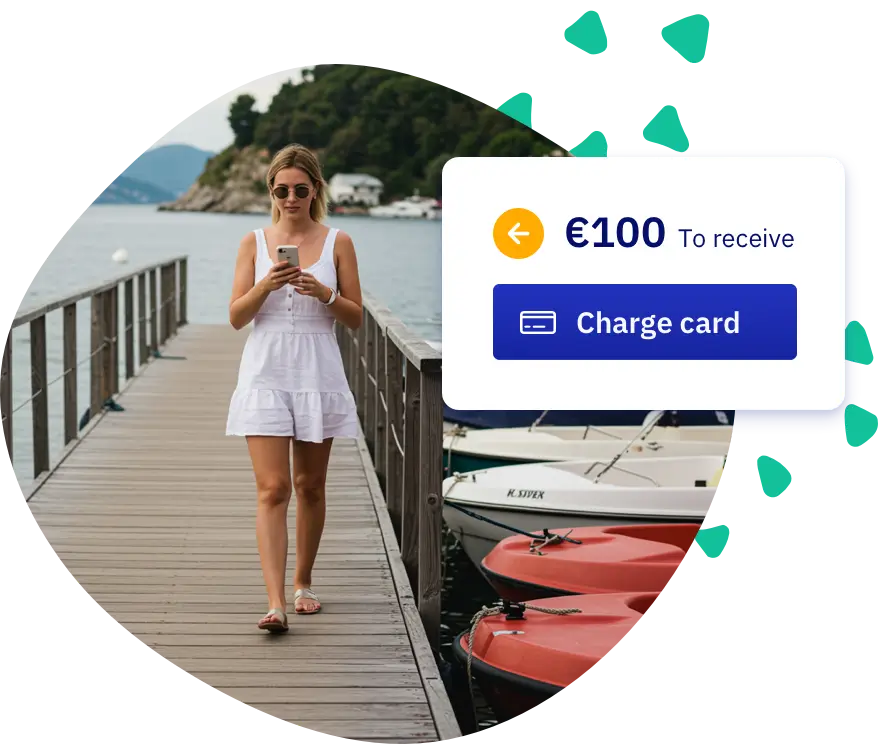
Popular request from our US friends: save credit card info and charge customers later without bugging them again. Damage deposit? Extra hours? Just charge the card on file.

Flip the switch in your Stripe settings: "Request permission for offline charges".

Enable in integrations →

Support got a glow-up

Our help docs were getting dusty. So we rebuilt the whole thing from scratch.

New search that actually finds what you need. Clear sections for day-to-day work, revenue tips, and settings deep-dives. Video walkthroughs where text won't cut it. And a homepage that gets you where you need to be in one click.

Oh, and the search has AI built in. Ask a question in your own words, get an answer tailored to your situation—pulling insights from across all our docs. Saves you the browsing time.

Check it out →

Other smaller updates

  • Buttons everywhere got a fresh coat of paint. Click away.
  • Booking timeline shows more useful info about what changed and when.
  • Cost structure tweaked so discounts don't mess things up.

Manage your schedule your way with blockouts

Versionv1.14

Photo of a girl hanging a closed sign

Take boats out of service for a few hours, days, or even months. Use blockout dates to instantly control availability for maintenance, private events, or planned downtime. Pick exactly which boats to block. If you use docks, you can block those too.

Blocked periods appear in your Blockout dates overview, and they also pin to the availability bars in your planning overview so you never miss them.

Create blockout →

Other smaller updates

  • Fresh connection with Trackunit using their new API. Update before October 2025 to keep it running. Read instructions
  • Wix integration polished so it blends in better with your site.
  • Order overview can be printed. Handy for handouts and ticking items off with a pen.

Faster access to deposits & payments

Versionv1.13

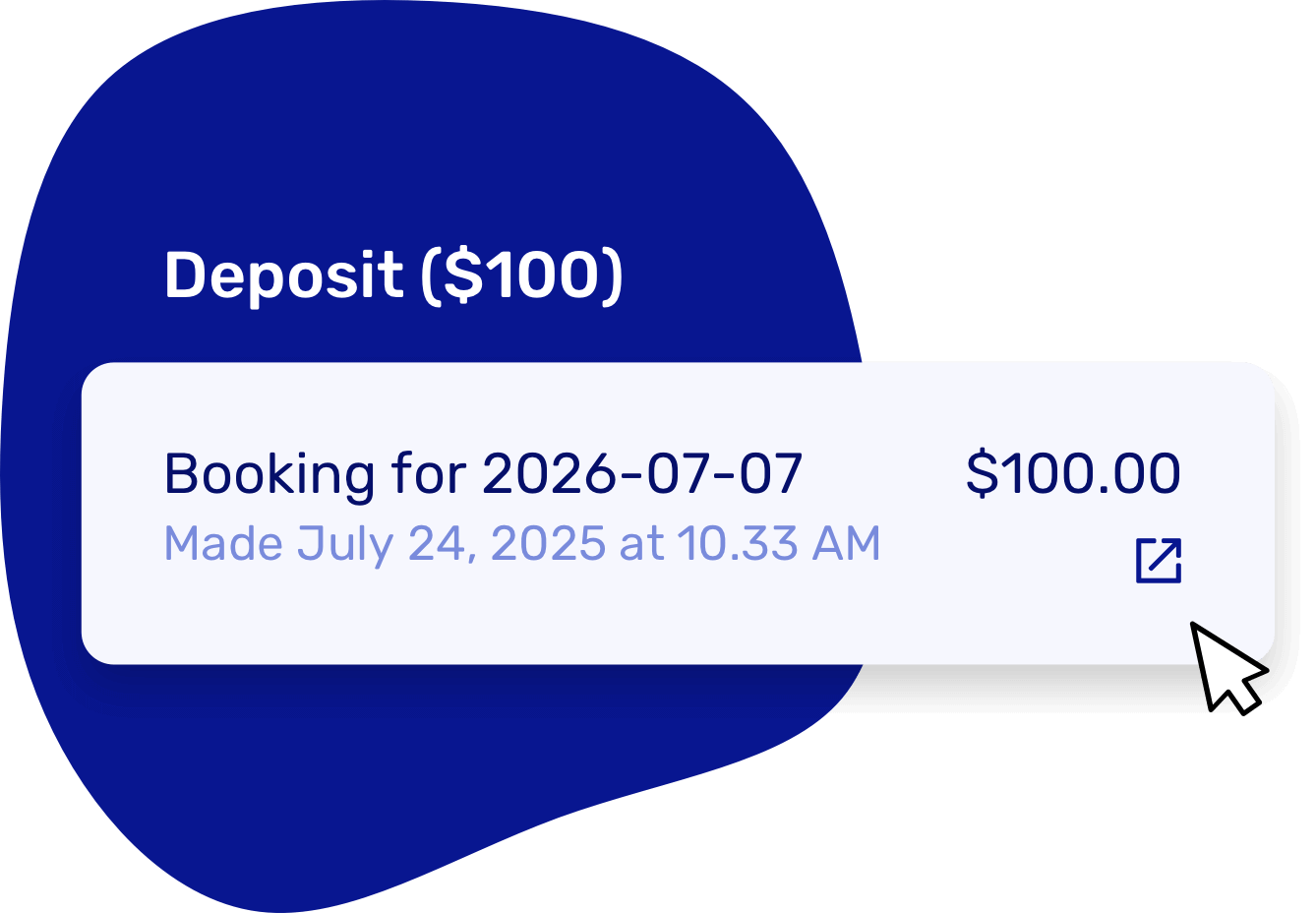
From the booking page (or via the finance tab), you can now click straight through to the deposit or payment post in Stripe or Mollie. Configure providers via Integrations.

Faster access to deposits & payments

Super handy for refunds or quick checks. A full integration is coming, but this already saves time.

Other smaller updates

  • Small tweaks on the order overview
  • Improved connection with Trackunit

More control over your add-ons

Versionv1.12

Interface to export Add-ons from you boat rental platform

We've added a brand-new add-on order overview, built around your team.

  • For the planner: a complete view of all upcoming add-ons, per day and in total.
  • For fulfillment: a clear timeline of what needs to go out and when.
  • For reporting: easy validation and reconciliation with suppliers.

Filter by time range (such as 'tomorrow' or 'next week') and category, and instantly see what's scheduled.

Manage your extras via Add-ons.

Other smaller updates

  • Answers to custom booking questions now show up automatically in the confirmation email you receive.
  • You can now decide if Let's Book should suggest other boats or dates when something's fully booked. Not a fit for your business? Turn it off.
  • You can now copy new coupon codes to your clipboard right away—makes things easier!

More relaxed booking edits

Versionv1.11

Good news — making changes to an active booking is now a lot easier:

  • Full editing freedom when the boat is claimed but the trip hasn't started yet
  • You can now switch to a different boat model — as long as the trip hasn't started
  • Editing ongoing trips is now smoother — even when pickup's in the past
  • Past pickup times are visible again in the UI (no more disappearing time fields)
  • It's now visually clearer which boat is linked to a trip. So you instantly see that it's unavailable for others

We also fixed an issue where availability could show up incorrectly when editing a booking.

Custom phone number settings

Admins now get full flexibility: make the phone number field required, optional, or remove it entirely. Shape your booking flow the way you want it via your booking form settings.

Other smaller updates

  • Schedules still linked to your rental setup can no longer be accidentally removed.
  • Stripe integration: smoother than ever.
  • Bug fixes

relaxed walking towards rental boat

Advanced conditions per customer type

Versionv1.10

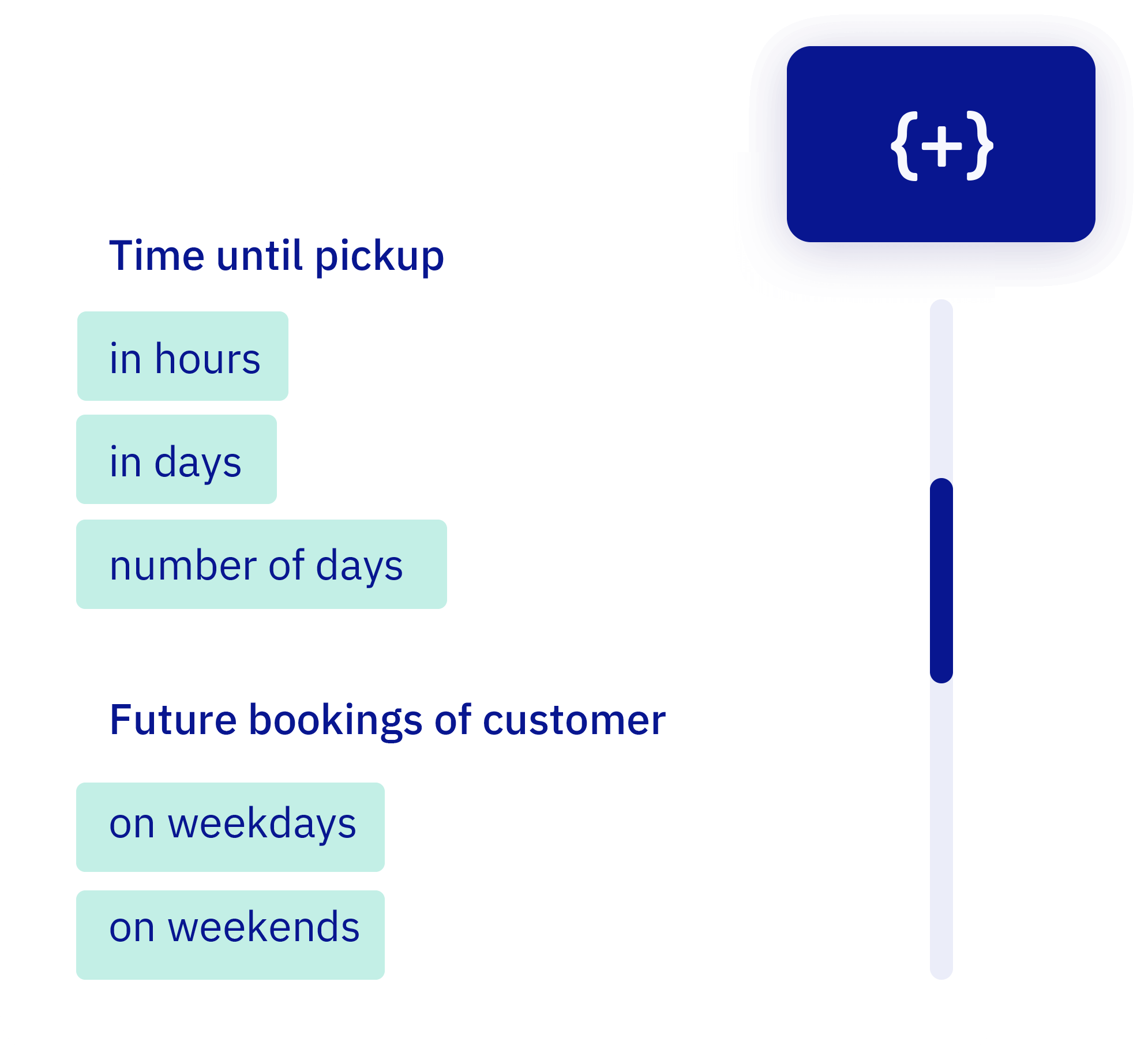
We already supported standard rules—but now you can handle almost every edge case. Set precise conditions per customer group: how far in advance they can book, on which days, with how many people, and more.

List of available variables

Even the most specific scenarios are now possible using AND/OR logic. Everything runs automatically in the background. Got a fun edge case in mind? We're happy to help.

Other small updates

  • Even more system e-mails are now translated
  • Switching boats? Default settings are now a bit more forgiving
  • Deposits were charging too early — now they wait their turn.
  • Mollie withdrawals and Stripe metering — all up to spec now.
  • Fixed lots of bugs and made small improvements throughout the system

Want to fine-tune who can book what and when? Configure rules per customer type.

Custom booking labels

Versionv1.9

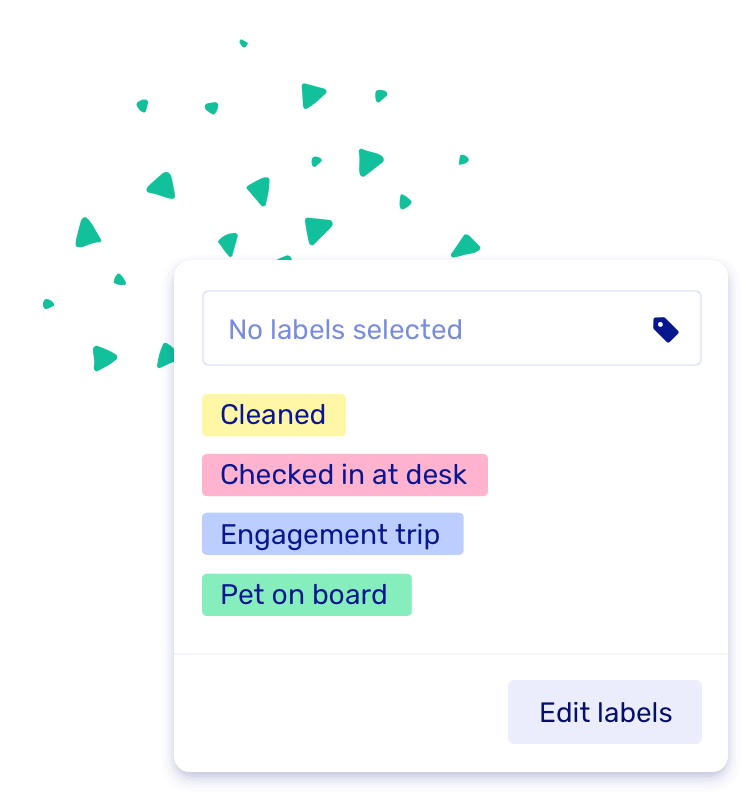
Labels are here! You can now add your own labels to bookings — like "Cleaned", "Engagement trip", or "Birthday Surprise" — to keep things clear and organized. It's a fun and flexible way to filter and find what matters most in your booking overview.

Screenshot of the new labels feature

Other small updates

  • You can now click back and forth to a booking detail page without losing your filters — we'll remember them for you!
  • Also: we squashed a bunch of bugs. 🐞

Sync your bookings to your personal calendar

Versionv1.8

Stay on top of your schedule wherever you are. You can now connect Let's Book to your Google Calendar, Apple Calendar or Outlook so all your upcoming bookings automatically appear in your personal calendar.

How it works

We generate a unique calendar feed link for your account that syncs your booking schedule with your external calendar app. It's view-only, so you can see your bookings but any changes need to be made in Let's Book.

What gets synced:

  • Bookings from the past 7 days
  • Bookings for the next 30 days
  • Updates automatically based on your calendar app settings

Update timing:

  • Google Calendar: Updates every 12 hours
  • Apple Calendar: You control refresh rate (minimum 5 minutes)
  • Outlook: Based on your local settings

Setting it up

Go to your profile page, find "Stay in sync" and click "My calendars". Toggle enabled, copy the link, and add it to your calendar app of choice.

Detailed setup instructions: Sync with personal calendar

Calendar sync

Other updates

  • Fixed various bugs
  • Unavailable time slots are now easier to spot in the booking form
  • Updated dashboard font for better readability

Customer notes, schedule duplication & SMS automation

Versionv1.7

We've added some handy tools to make your daily operations smoother.

Notes per customer

Keep useful customer info right where it belongs—no more sticky notes. Add remarks directly to each customer profile.

Track things like dietary restrictions, previous issues, VIP preferences, or equipment requests. Notes appear in booking details and during check-in, so your team always has the context they need.

Duplicate rental schedules

Working with complex schedules? You can now duplicate and tweak them in no time.

Perfect for seasonal operations - duplicate your summer schedule for next year, then adjust pricing or availability as needed. Set up complex schedules in minutes instead of starting from scratch.

Rich text in descriptions

Boat and dock category descriptions now support rich text. Add links, lists, or extra details to inform your customers.

Add clickable links to equipment manuals, create bulleted lists of included features, or format text with bold/italic emphasis. Enhanced descriptions appear throughout the booking flow.

SMS after a trip ends

You can now send an automatic text message when a trip ends, to remind customers to return their boat.

Reduce confusion and no-shows with automatic return reminders. Customize your message and timing in notification settings.

Other improvements

  • Improved security and performance
  • Application fees are now calculated over whole amount when using downpayments
  • Place all boats of a boat model at a dock at once